Tag

Slider

Browsing

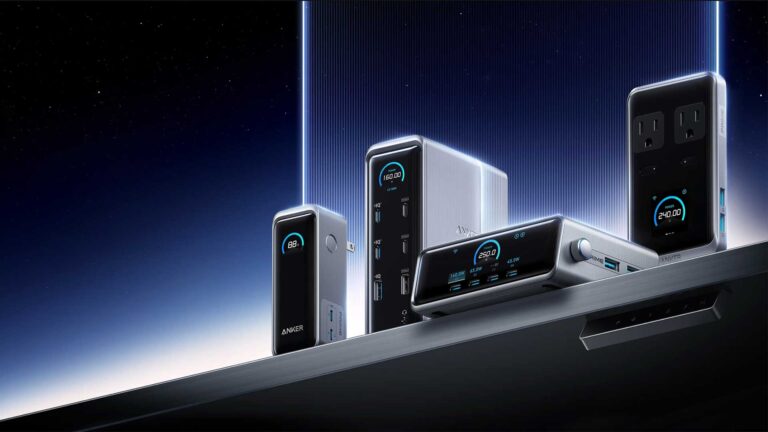
Anker has long been a leader in the charging accessories market, constantly pushing the boundaries with innovative and powerful solutions. Their newest lineup introduces even more high-performance chargers for both desktop and travel use. This article highlights the latest Anker Prime products and provides some affordable alternatives to that Anker charger for those looking to save a bit without sacrificing performance.

1. Anker Prime Charger (250W, 6 Ports, GaNPrime) $169.99 (Buy on Amazon)
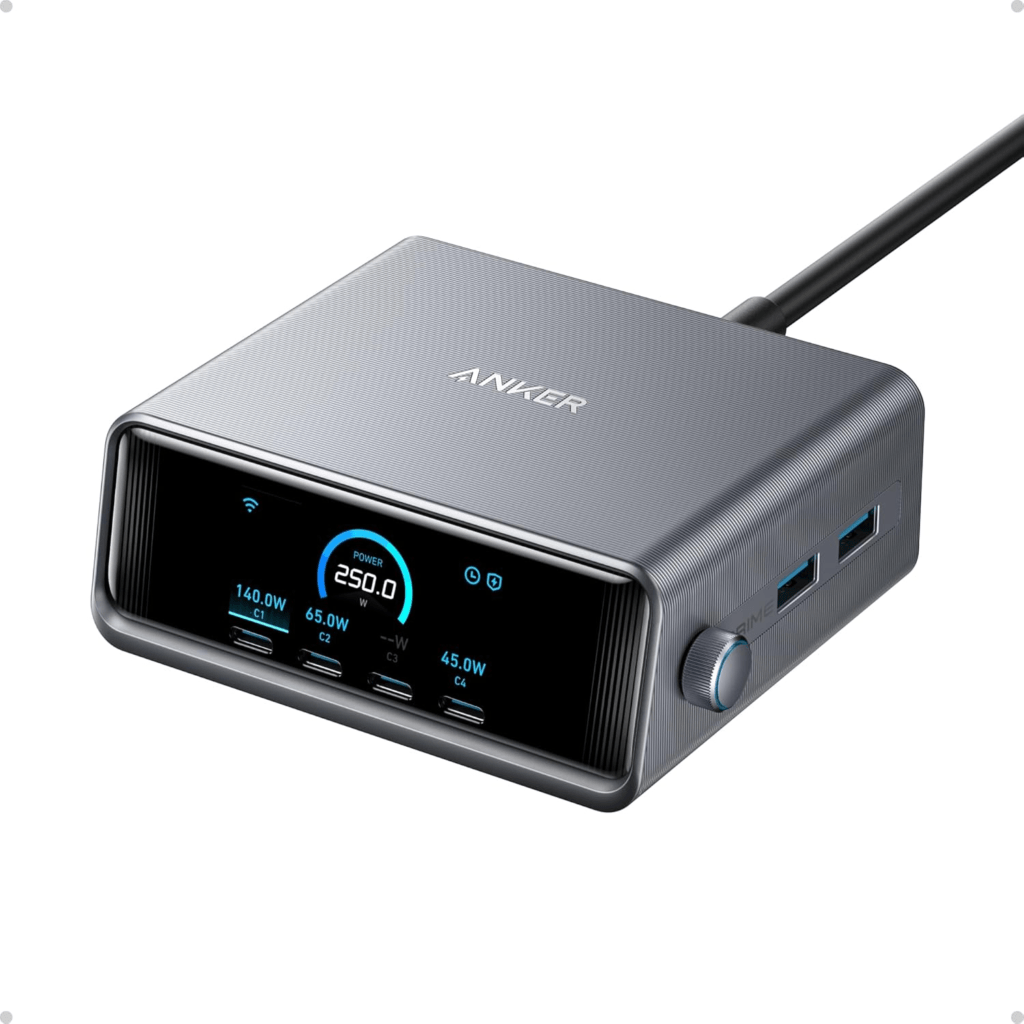
This powerful 6-port charger is designed for those who need serious power at their desk. With four USB-C ports and two USB-A ports, this charger offers up to 250W of combined output, making it capable of powering multiple high-demand devices like laptops and smartphones simultaneously. It also features a 2.26-inch LCD display to monitor charging status, and customizable charging modes for optimal power management.

Affordable Alternative:

Aftertop 250W USB C Charger $72.99 + 10% OFF COUPON (Buy on Amazon)
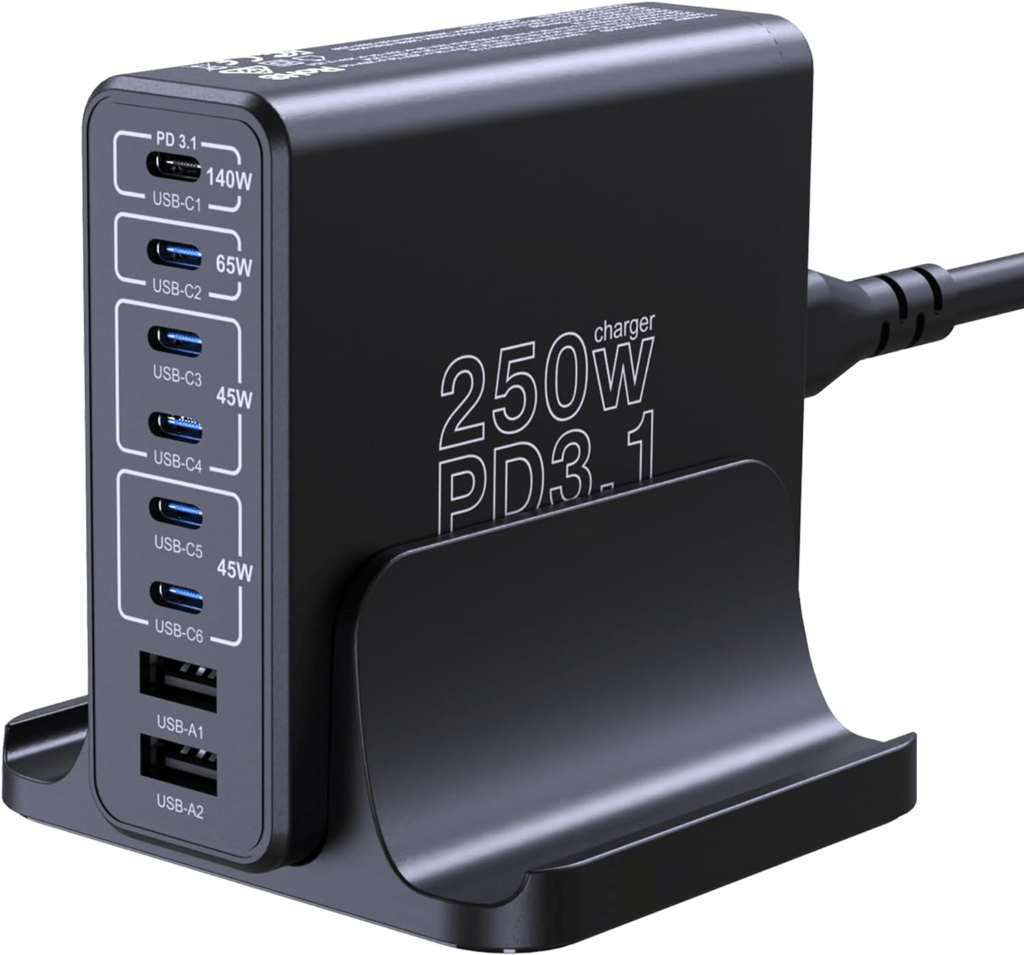
The Aftertop 250W 8-Port Charging Station offers a competitive alternative to the Anker Prime 250W 6-Port Charger, particularly for users looking for affordability without sacrificing functionality. This Aftertop charger provides eight ports (six USB-A and two USB-C), compared to the four USB-C and two USB-A ports on the Anker Prime model. Although the Anker model utilizes Gallium Nitride (GaN) technology for better energy efficiency and reduced heat, the Aftertop charger is still capable of handling multiple high-demand devices effectively.

One key feature where the Anker model excels is in its smart charging modes and LCD display, which allow users to monitor charging speeds and adjust based on device needs. The Aftertop charger lacks these advanced features, making it a more basic solution for those who just need straightforward multi-device charging. However, with a significantly lower price point, the Aftertop charger is a solid budget option that can accommodate a wider range of devices simultaneously.

Ultimately, if you’re looking for premium features and the latest charging technology, the Anker Prime charger is the better choice, but the Aftertop charger offers more ports and reasonable performance at a fraction of the cost.

2. Anker Prime Charger (200W, 6 Ports, GaN) $79.99 (Buy on Amazon)
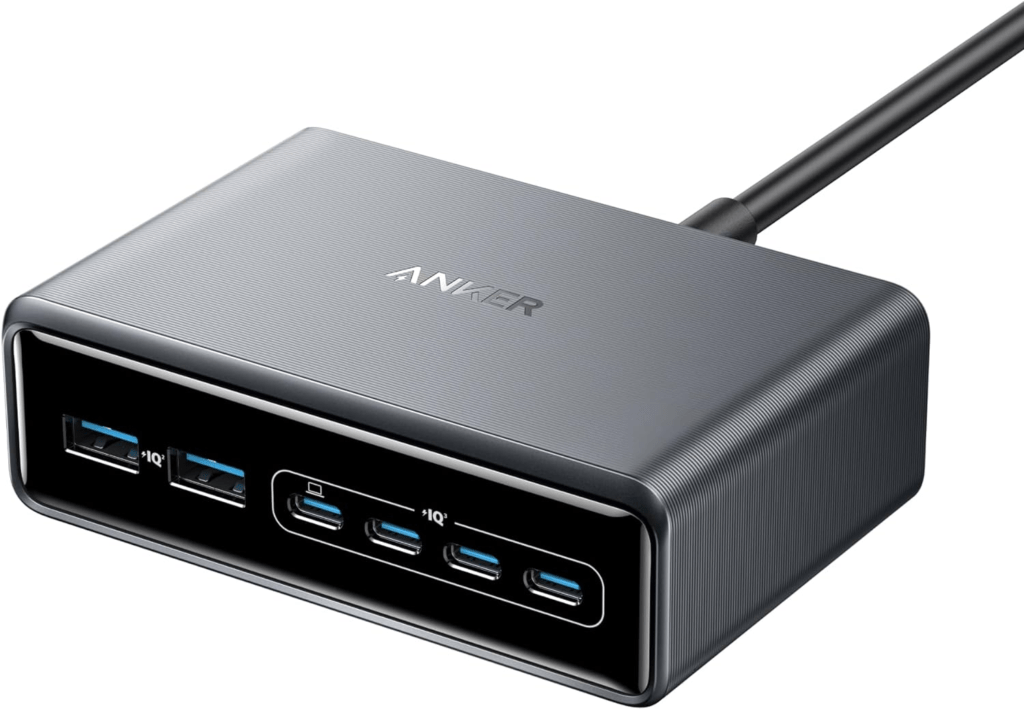
Similar in design but slightly less powerful than the 250W model, this 200W charger is perfect for users who need a versatile charging station without the full output capacity. With intelligent power distribution and multiple USB-C ports, it’s a great option for most desk setups.

Affordable Alternative:

HHETP 200W USB-C GaN Charger Block $34.92 + 20% OFF COUPON (Buy on Amazon)
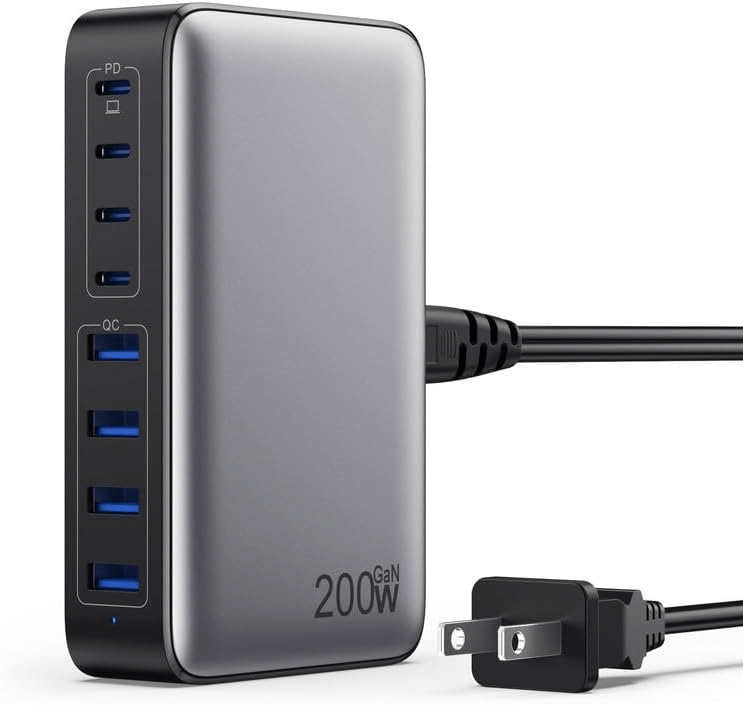
On the other hand, the HHETP 200W USB-C GaN Charger Block provides an affordable alternative for users seeking a similar multi-device charging solution. This charger also features GaN technology, which allows for fast charging with minimal heat generation, and comes equipped with eight ports—four USB-C and four USB-A. While it doesn’t match the Anker’s refined power distribution modes or brand reputation, it still delivers impressive performance at a significantly lower price. Additionally, it offers versatile compatibility, making it suitable for charging everything from laptops to smartphones and gaming devices.

The HHETP charger lacks some of the premium features, but it remains a solid budget-friendly choice with slightly more port options and sufficient power for everyday use.

3. Anker Prime 240W Charging Station 8-in-1 $164.99 (Buy on Amazon)
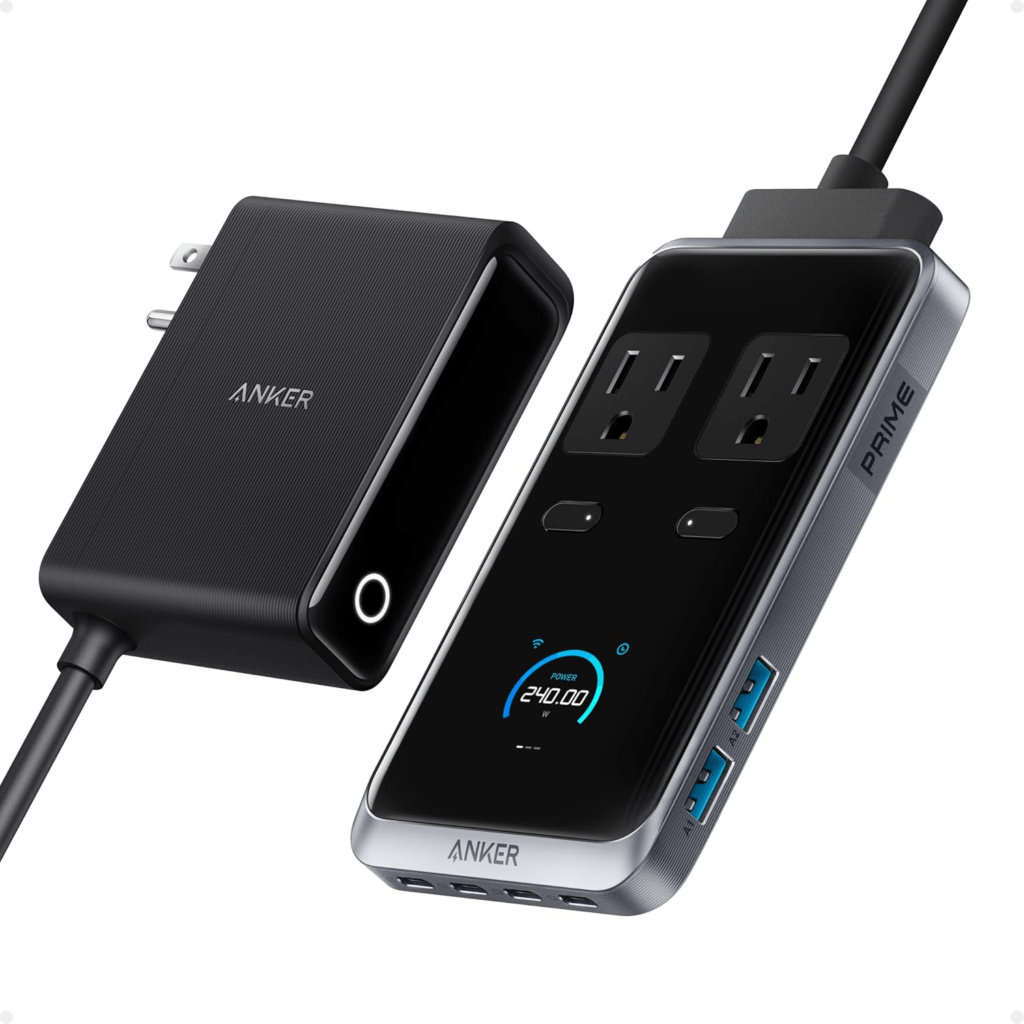
The Anker Prime 240W 8-in-1 USB-C Power Strip is a versatile and powerful charging solution designed for home and office use. With a total output of 240W, this compact charging station is equipped to handle multiple devices simultaneously, making it ideal for users with high-demand tech setups. It features 8 ports: two AC outlets, four USB-C ports, and two USB-A ports, allowing you to charge everything from smartphones to laptops efficiently.

Each USB-C port can deliver up to 140W, enabling rapid charging for devices like the 16-inch MacBook Pro, which can reach 53% in just 30 minutes. Despite its powerful capabilities, the Anker Prime Charging Station maintains a compact footprint, measuring only 3.07 × 5.43 × 0.71 inches, making it an unobtrusive addition to your workspace.

This charging station also comes with a 5 ft detachable extension cord for flexible placement, a pop-up outlet for easy access, and is backed by a 24-month warranty and a lifetime $200,000 connected equipment warranty, providing peace of mind for users who rely on their devices for work or personal use.

Whether you’re looking to streamline your charging setup at your desk or need a reliable power solution for multiple devices at home, the Anker Prime 240W Charging Station offers a high-performance, space-saving solution that meets all your charging needs.

Affordable Alternative:

Baseus 100W GaN Charging Station $55.99 + $10 OFF COUPON (Buy on Amazon)
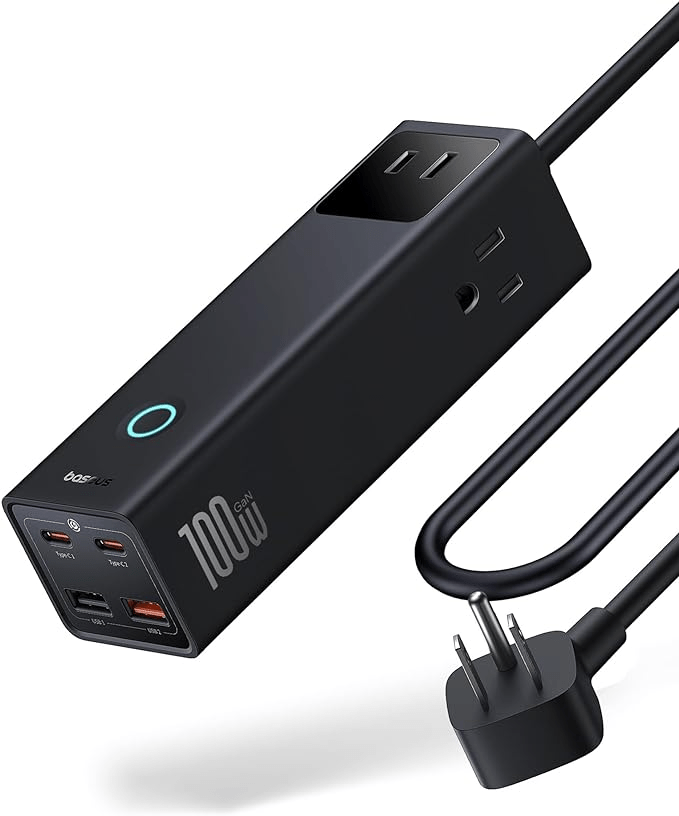
The Baseus 100W 7-Port GaN USB-C Charging Station offers a budget-friendly alternative to the Anker Prime Charging Station. With 100W of total output, it’s capable of fast-charging laptops, smartphones, and tablets, reaching 45% charge on a 16″ MacBook Pro in just 30 minutes. This compact charging station includes 3 AC outlets, 2 USB-C ports, and 2 USB-A ports, allowing you to power up to seven devices simultaneously.

While it has a lower output compared to the Anker Prime’s 240W, it compensates with portability and built-in 1200J surge protection, ensuring your devices are safe from power spikes. The smart touch switch control further enhances usability by actively managing power flow. Ideal for those seeking an affordable, travel-friendly power solution, the Baseus station delivers solid performance for everyday charging needs at a fraction of the price.

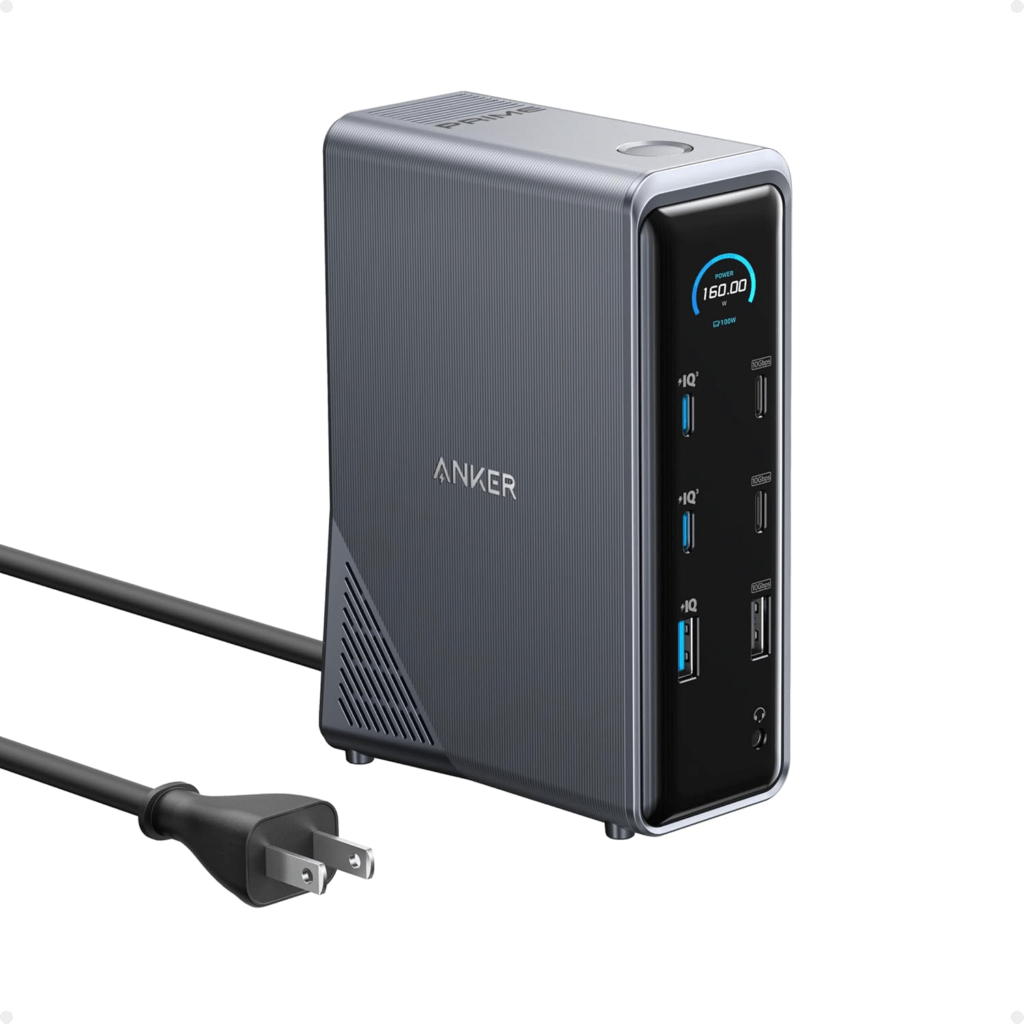
4. Anker Prime 160W Docking Station$249.99 (Buy on Amazon)

The Anker Prime 14-Port Docking Station is an advanced, all-in-one connectivity hub designed to streamline your workspace while delivering powerful performance. With a 160W maximum output, this docking station can charge up to four devices simultaneously, ensuring that your laptop, smartphone, and other essential tech stay powered throughout the day. It features three USB-C ports capable of delivering up to 100W each, and one USB-A port with a 12W max output, making it perfect for multitasking professionals.

This docking station doesn’t just charge; it also manages data with 11 versatile ports, including USB-C, USB-A, HDMI, and Ethernet, all supporting up to 10Gbps fast data transfer speeds. The dual 4K display support is ideal for those needing crisp, high-resolution visuals, whether you’re working with multimedia, gaming, or managing multiple applications simultaneously. Additionally, the real-time smart display provides instant visual feedback on power levels, connection statuses, and important alerts, ensuring you’re always in control.

The Anker Prime Docking Station is compatible with a wide range of devices, including Dell, MacBook, and more, making it a versatile addition to any modern workspace. It’s also designed with sustainability in mind, reducing your environmental footprint while maximizing productivity. Whether you need to manage multiple displays, charge your devices efficiently, or transfer data at lightning speeds, this docking station offers a comprehensive solution.

Key Features:

  • 14-in-1 Connectivity: Connect and power all your devices with one compact hub.
  • 160W Total Output: Charge up to four devices at once with ultra-fast charging capabilities.
  • Dual 4K Displays: Perfect for professionals needing high-resolution, multi-screen setups.
  • 10Gbps Data Transfer: Rapid data management across various devices.
  • Smart Display: Monitor device statuses and alerts in real-time for optimal performance.

For those looking for a docking station that combines power, versatility, and advanced features in one sleek package, the Anker Prime 14-Port Docking Station is an excellent choice.

Affordable Alternative:

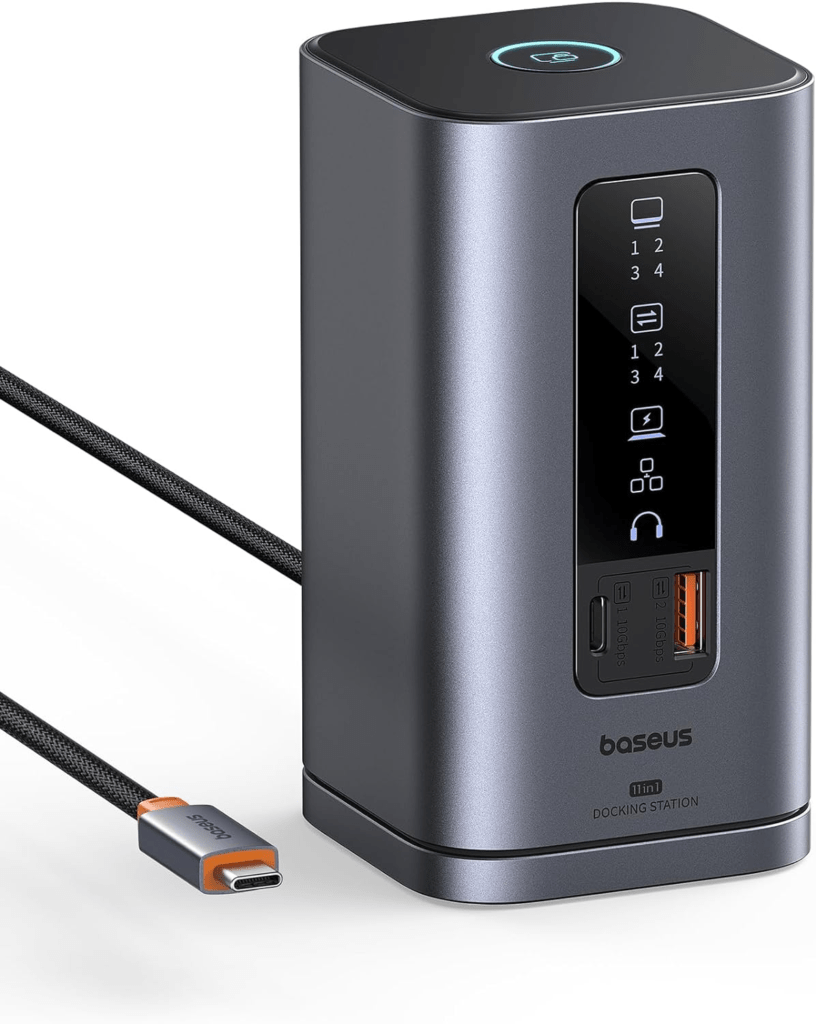
Baseus Triple Display Docking Station Station $111.98 (Buy on Amazon)

The Baseus Spacemate 11-in-1 Docking Station offers an affordable alternative to the Anker Prime 14-Port Docking Station, with several key features that make it a competitive option. While the Anker Prime excels with its 160W maximum output, smart interface, and dual 4K display support, the Baseus Spacemate holds its own with a 100W power delivery, triple display support for Windows users, and an innovative upright design that saves desk space.

The Baseus Spacemate also features 11 versatile ports, including HDMI, DisplayPort, USB-C, and USB-A, all supporting up to 10Gbps data transfer speeds, which is comparable to the Anker’s capabilities. However, it lacks the Anker’s real-time smart display and the extensive 160W power output, which are significant advantages for power users with multiple high-demand devices.

For users who need a comprehensive docking solution with excellent connectivity but are mindful of their budget, the Baseus Spacemate is a solid alternative that delivers strong performance and high versatility at a lower price point.

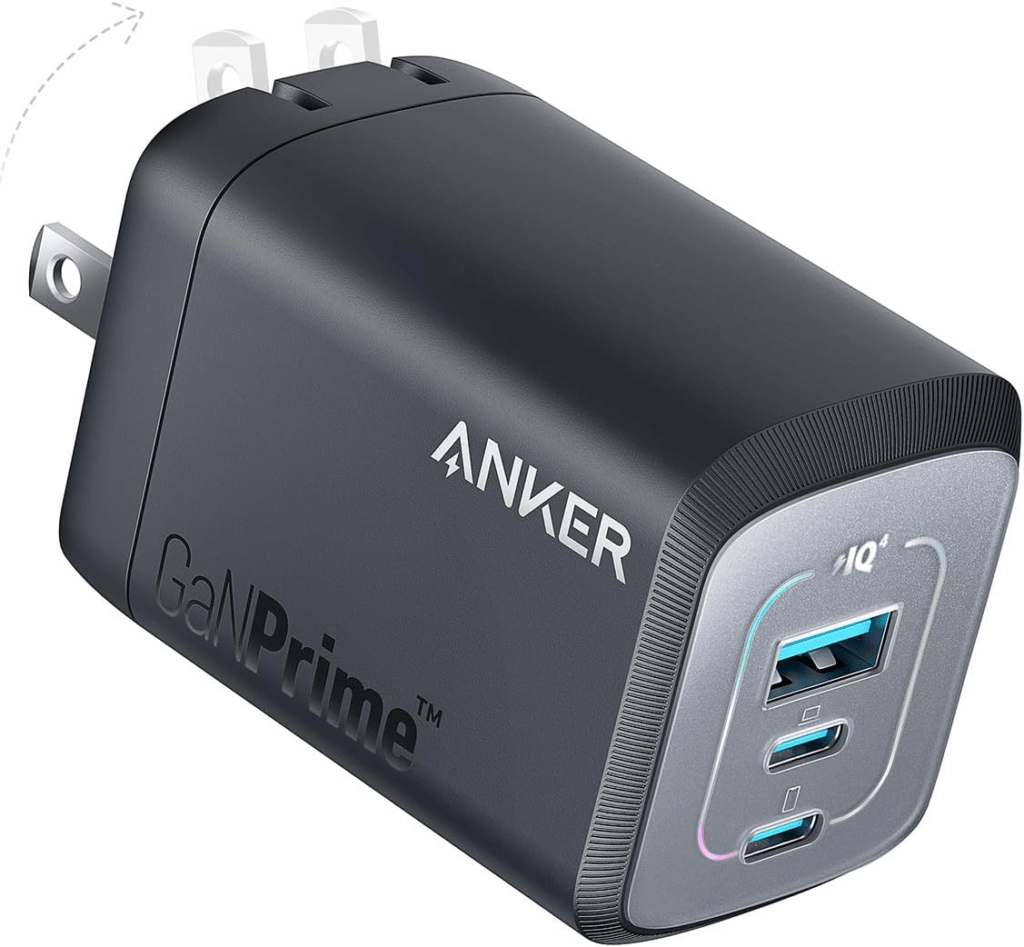
5. Anker Prime 100W Charger $84.99 (Buy on Amazon)

The Anker Prime 100W USB-C Charger is a compact yet powerful charging solution designed for multi-device users who demand speed and efficiency. Featuring 3 ports—two USB-C and one USB-A—this charger can deliver up to 100W of power, making it ideal for fast-charging a MacBook Pro, iPhone, iPad, and other high-demand devices simultaneously. Its GaN (Gallium Nitride) technology ensures efficient power delivery while keeping the charger cool, even under heavy load.

This charger is not only powerful but also incredibly portable. It’s 43% smaller than the original 96W MacBook charger, making it easy to carry in a travel bag or purse. The ActiveShield 2.0 safety system adds another layer of protection by safeguarding your devices from electrical surges and overheating, providing peace of mind while charging multiple gadgets at once.

Whether you’re at home, in the office, or on the go, the Anker Prime 100W USB-C Charger offers the perfect balance of power, portability, and safety, making it an excellent choice for anyone needing reliable, fast charging for multiple devices.

Key Features:

  • 100W Max Output: Fast charging for up to three devices simultaneously.
  • Compact Design: 43% smaller than the original MacBook charger.
  • GaN Technology: Efficient power delivery with minimal heat.
  • Advanced Safety: ActiveShield 2.0 for device protection.

This charger is particularly well-suited for busy professionals, students, and travelers who need to keep their essential devices charged and ready to go at all times.

Affordable Alternative:

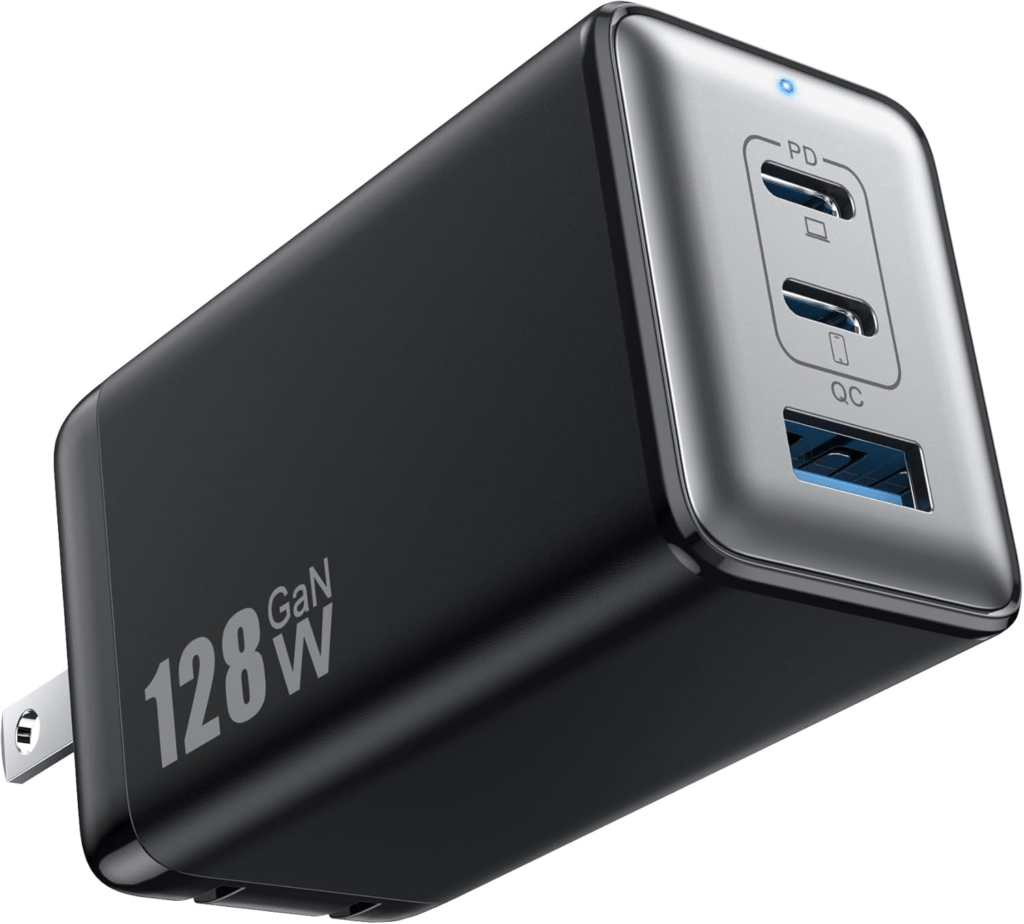
Pxwaxpy 128W USB-C GaN Wall Charger $25.46 + 20% Coupon (Buy on Amazon)

The Pxwaxpy 128W USB-C Wall Charger is a budget-friendly alternative to the Anker Prime 100W USB-C Charger, offering comparable multi-device charging capabilities at a fraction of the price. This charger features three ports—two USB-C and one USB-A—capable of delivering up to 128W of total power output. It uses GaN III chip technology for efficient power delivery and improved heat dissipation, ensuring safe and rapid charging for a wide range of devices, including laptops, smartphones, tablets, and more.

While it doesn’t quite match the Anker’s advanced safety features or compact design, the Pxwaxpy charger still delivers ultra-fast charging, able to power a MacBook Pro 13″ in just 1.2 hours. Its compact and portable design with foldable prongs makes it a great option for travelers who need to keep multiple devices charged on the go.

Overall, the Pxwaxpy 128W charger offers excellent value for those seeking a high-performance charger without the premium price tag, making it an attractive choice for cost-conscious consumers.

6. Anker Prime 9600mAh Power Bank$89.99 (Buy on Amazon)

This power bank packs a punch with 65W output, ensuring your devices stay charged during long trips. It’s a perfect companion for charging your phone, tablet, or even a laptop on the go.

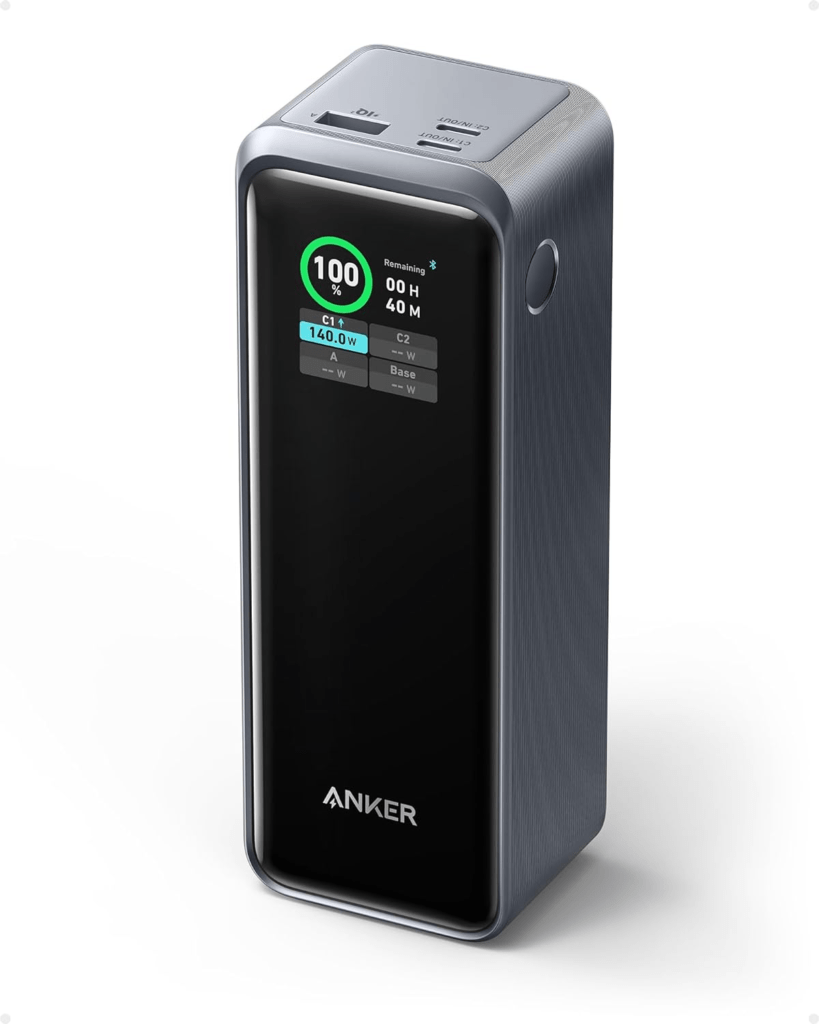
7. Anker Prime 250W Power Bank$119.99 (Buy on Amazon)

For even more power on the go, this high-capacity power bank delivers 250W, enough to keep your most demanding devices running. Its robust build and large battery capacity make it a top-tier choice for those needing maximum power.

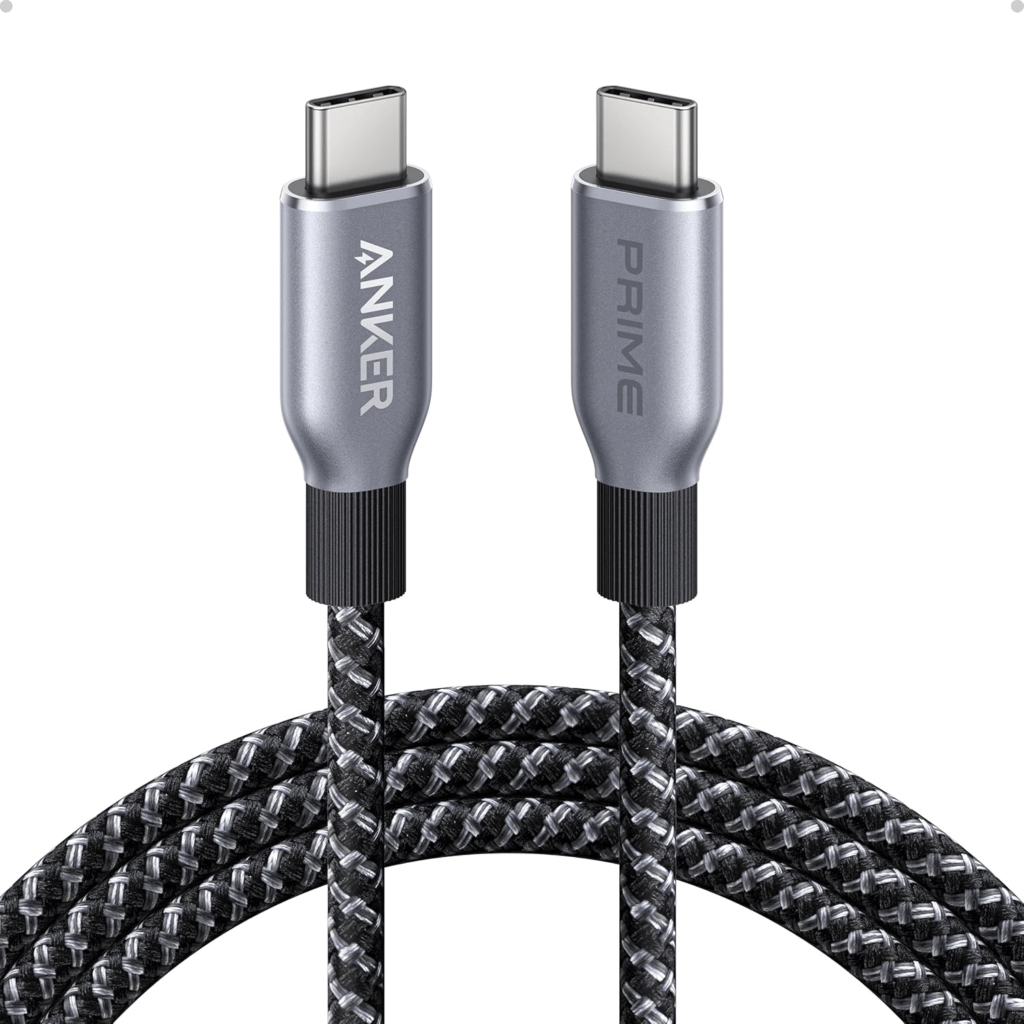
8. Anker Prime USB-C Cable 240W$34.99 (Buy on Amazon)

This upcycled braided cable is not only environmentally friendly but also highly durable and capable of handling 240W power delivery, making it a perfect companion for high-wattage chargers.


These Anker products represent the cutting edge of charging technology, but if you’re looking for more affordable options, the alternatives listed can still deliver solid performance without the premium price. Whether you’re setting up a charging station at your desk or need reliable power while traveling, there’s something for every need and budget in this roundup.

For more reviews and comparisons, keep exploring WellReviewed.co!

NOTE: If you click a merchant link and buy a product or service on their website, we may be paid a fee by the merchant.

When I noticed that my shower’s water pressure wasn’t enough—especially when my partner and I showered together—I realized it was time to upgrade to a better shower head. We wanted more water coverage and warmth without breaking the bank or making permanent changes to our rental.

After some research, I found affordable products on Amazon that let me install a second shower head. This upgrade significantly boosted water flow and coverage. Here’s how I did it for under $100, with links to the products I used so you can enjoy a better shower head in your bathroom.

Why Add a Second Shower Head?

Showering with a partner can be relaxing and fun, but it’s only enjoyable when both of you get enough water coverage. A standard single shower head often doesn’t provide this. One person might be left under weak dribbles while the other enjoys the full stream. This can quickly turn a pleasant moment into a frustrating one.

By adding a second shower head, you ensure both people receive warm, soothing water simultaneously. This setup enhances the overall experience. Not only does it boost comfort, but it also makes water distribution more efficient. Whether you want a luxurious shower setup or better functionality, a dual-head system offers an easy and affordable solution.

The Problem: Low Water Pressure and Uneven Coverage

My old shower head barely put out enough water for one person, let alone two. Every time my partner and I showered together, one of us ended up shivering under weak water while the other enjoyed the limited stream. This uneven coverage turned what should have been a relaxing experience into a frustrating one. Realizing the setup was far from ideal, I knew it was time for a change.

I didn’t want to spend a lot, so I looked for a cost-effective solution. Improving our shower experience by boosting water pressure and coverage was my goal. That’s when I discovered the perfect solution: a better shower head. Installing a second head ensured both of us could enjoy warm, powerful water simultaneously. This upgrade not only solved the problem but made our shower much more enjoyable.

Product 1: Affordable High-Pressure Shower Head

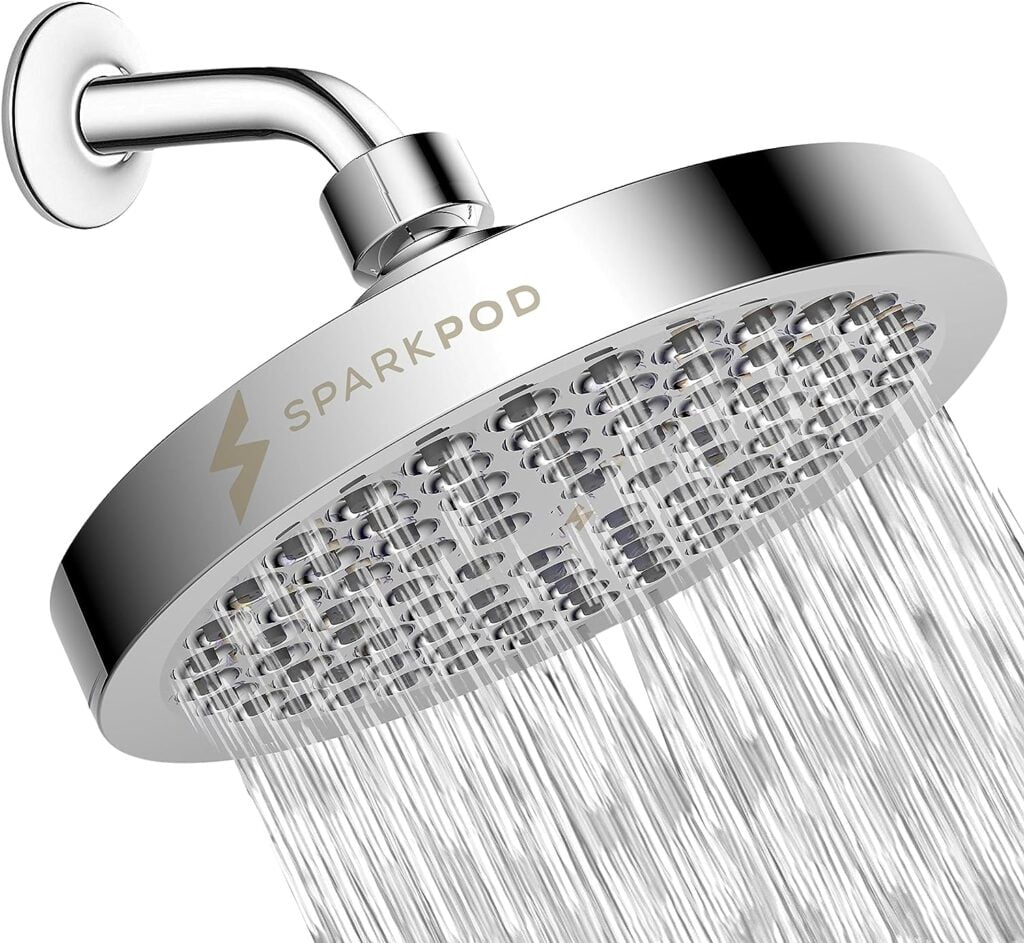
The first step was finding a new shower head with better water output. I wanted something that wouldn’t cost too much but would still provide a luxury experience. After some searching, I found this High Pressure Rainfall Shower Head, which fit the bill perfectly.

Add a new high-pressure better shower head for better water flow

Product Highlights:

  • High-Pressure Rainfall: Provides a consistent stream of high-pressure water for a luxurious shower.
  • Easy Installation: No tools needed; install it in under 5 minutes.
  • Durable Design: Made from rustproof ABS plastic with easy-to-clean rubber nozzles.
  • Energy Savings: Operates at 1.8 gallons per minute (GPM), saving water while providing powerful showers.

This better shower head instantly improved my shower experience. It offers a stronger, more even flow of water. Plus, it comes in eight different colors, letting you match your bathrooms’ style.

Product 2: T-Shaped Diverter to Split Water Flow

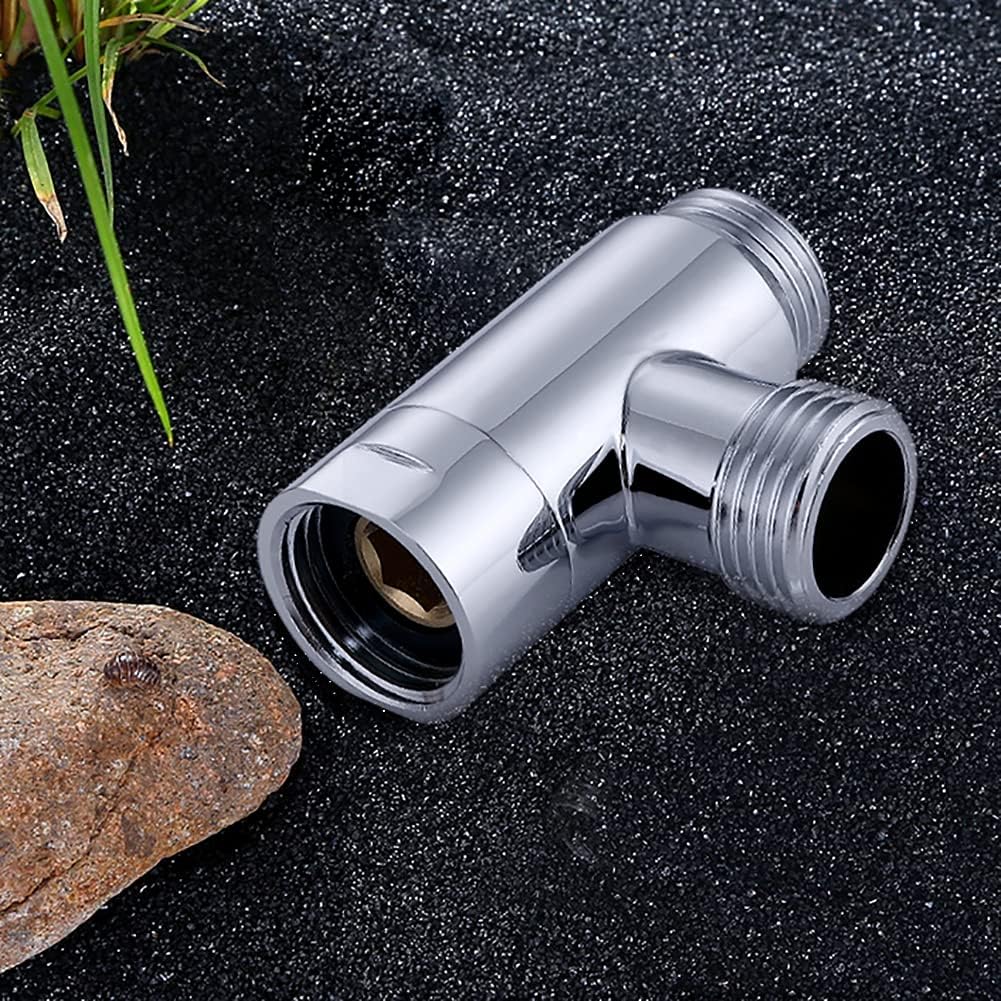
Next, I needed a way to add a second better shower head. I found a T-Shaped Diverter that splits the water output into two separate streams, allowing me to connect two shower heads.

T-shaped diverter to add a second better shower head

Product Highlights:

  • Durable Brass Construction: Built to last and resistant to rust.
  • Simple Installation: Easily installed using a wrench.
  • Three-Way Connector: Lets you connect both fixed and hand-held shower heads.

This adapter was perfect for turning my single-shower setup into a dual-shower experience without any hassle.

Product 3: Shower Arm Extension for Better Positioning

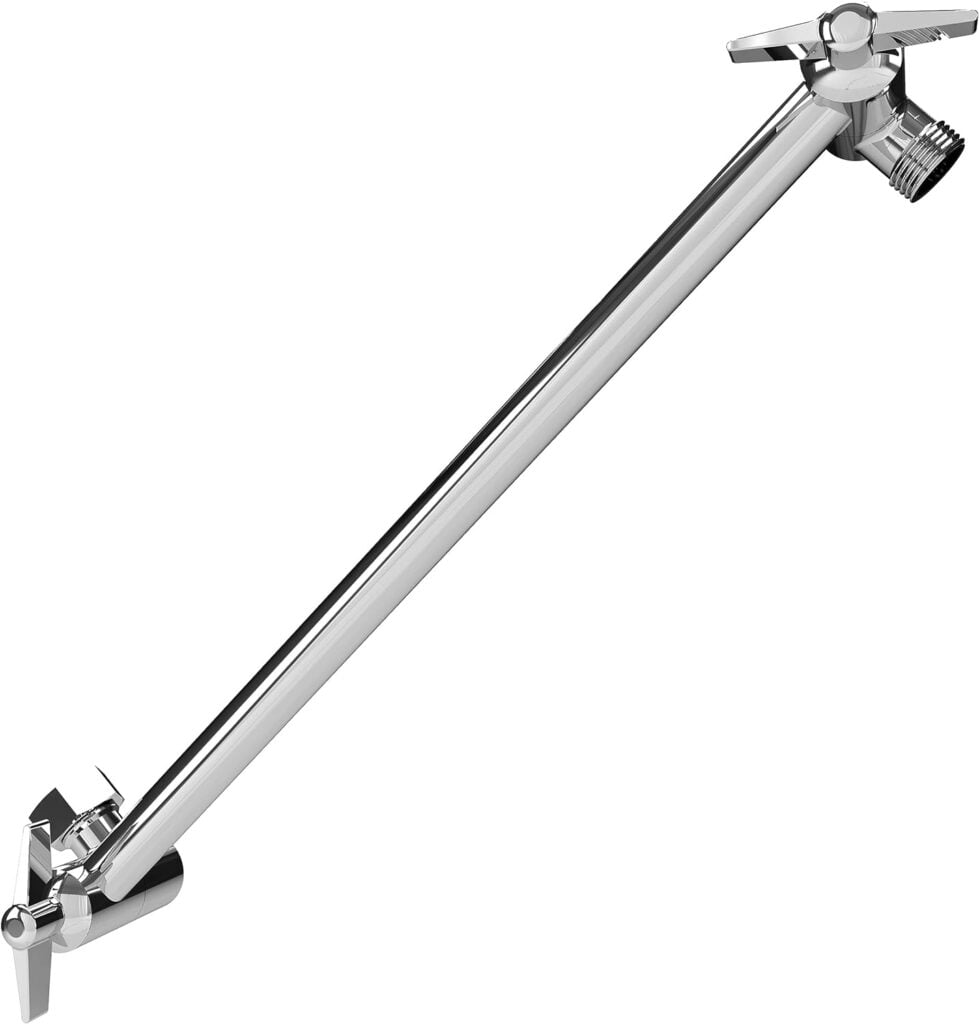
To get the two shower heads far enough apart so that both of us could enjoy our own stream of water, I picked up this Shower Arm Extension.

Shower arm extension for positioning a new shower head

Product Highlights:

  • Adjustable Positioning: Extend the shower head several inches for better coverage.
  • Sturdy Brass Build: Strong enough to support even heavier shower heads.
  • No Tools Required: Simple twist-on installation.

The arm extension made it easy to position the second shower head exactly where it was needed, creating a much more enjoyable showering experience for both of us.

Product 4: Water Flow Control Valve for Customizable Pressure

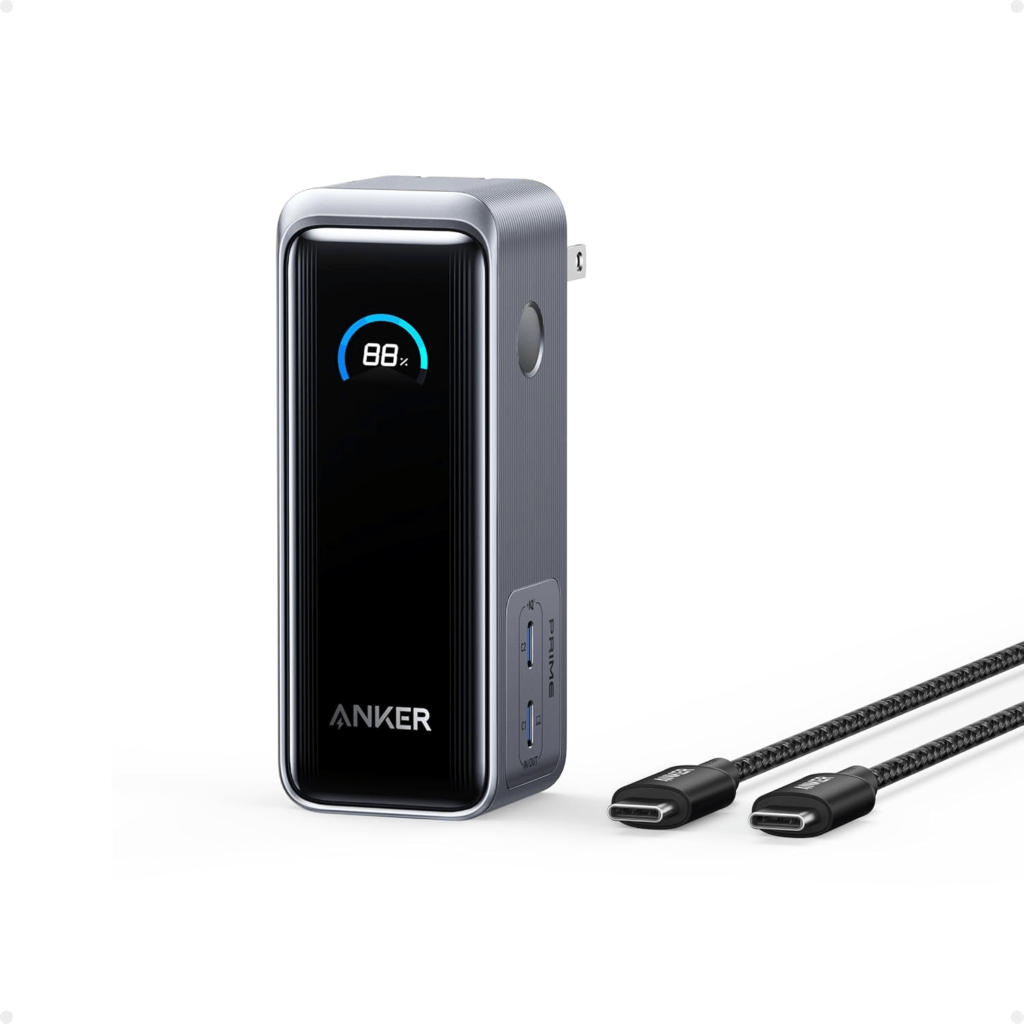
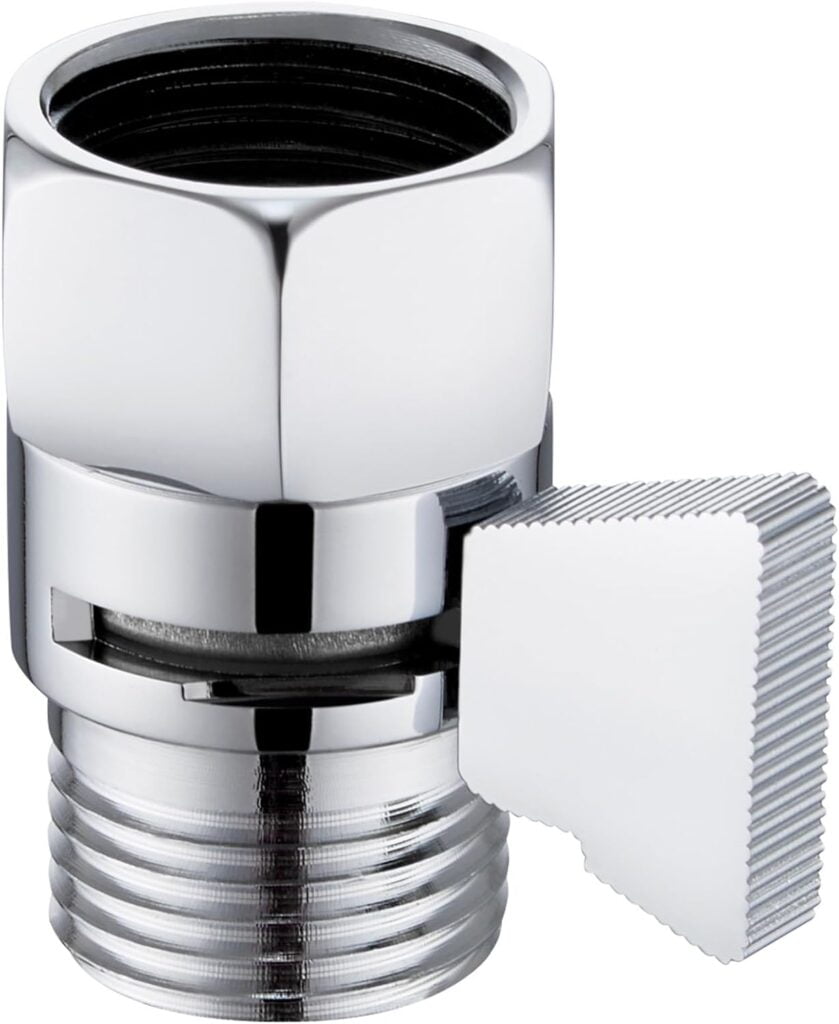
After setting everything up, I realized that while I liked the stronger water pressure, my partner found it too intense. To solve this, I added two Water Flow Control Valves, placing one just before each shower head. This allowed us to adjust the pressure individually.

Water flow control valve for adjustable shower pressure

Product Highlights:

  • Adjustable Water Flow: Lets you fine-tune the pressure or even completely shut off the flow.
  • Durable Brass Construction: Built to last with a leak-free design.
  • Standard Fitting: Easily attaches to most shower heads and hoses.

These control valves gave us the flexibility to customize the water pressure for each shower head, ensuring both of us get the perfect shower experience every time.

Final Setup: A Luxurious Shower Experience for Two

With all the components in place, our shower is now a completely different experience. We both get consistent, high-pressure water, and the adjustable valves let us customize it to our preferences. The entire setup cost less than $100, and the best part? It’s all rental-friendly, with no permanent changes needed.

If you’re looking to upgrade your shower without spending a fortune, these products offer an easy, affordable solution. Whether you want more water pressure, better coverage, or a setup that makes showering with a partner enjoyable, this guide covers everything you need.

Ready to transform your shower? Grab the products listed above and start enjoying a more luxurious shower experience today!


As you enhance your shower experience with a better shower head, don’t forget that safety and comfort extend beyond your bathroom at home. When traveling, it’s essential to stay vigilant and prepared. Just as a well-chosen shower head can transform your daily routine, the right travel tools can ensure your peace of mind while staying in hotels. For essential tips and products that will help you stay safe during your travels, check out our comprehensive guide on hotel safety tools. It’s all about creating a secure, comfortable environment—whether you’re at home or on the go.

NOTE: If you click a merchant link and buy a product or service on their website, we may be paid a fee by the merchant.
In today’s fast-paced world, quality sleep is more essential than ever for maintaining optimal health and well-being. Neuroscientist Andrew Huberman and sleep expert Dr. Matthew Walker have shared invaluable insights on how to improve sleep quality and harness its benefits. Below, we’ve distilled their conversations into actionable steps you can take to enhance your sleep and, consequently, your overall health.

Huberman Lab Episode 31: Dr. Matt Walker: The Science & Practice of Perfecting Your Sleep


1. Understand the Importance of Sleep Stages

Sleep isn’t a one-size-fits-all state; it’s a complex cycle comprising different stages, each with unique benefits:

  • Non-REM Sleep (Stages 1-4): Vital for physical restoration, muscle repair, and memory consolidation.
  • REM Sleep: Crucial for emotional processing, creativity, and brain development.

Actionable Tip: Aim for 7-9 hours of sleep per night to ensure you cycle through all sleep stages adequately.


2. Establish a Consistent Sleep Schedule

Consistency reinforces your body’s internal clock, making it easier to fall asleep and wake up naturally.

Actionable Tip: Go to bed and wake up at the same time every day, even on weekends. This consistency can improve sleep quality and daytime alertness.


3. Optimize Light Exposure

Light is a powerful cue for your circadian rhythm:

  • Morning Light: Exposure to natural daylight, especially in the morning, helps set your internal clock.
  • Evening Light: Minimizing exposure to bright lights in the evening promotes melatonin production.

Actionable Tips:

  • Spend at least 30 minutes outside in natural light each morning.
  • Use dim, warm lighting in the evening, and consider limiting screen time an hour before bed.

4. Manage Caffeine and Alcohol Intake

Both caffeine and alcohol can significantly disrupt sleep patterns:

  • Caffeine: Blocks adenosine receptors, reducing sleep pressure.
  • Alcohol: Fragments sleep and reduces REM sleep quality.

Actionable Tips:

  • Avoid caffeine at least 8-10 hours before bedtime.
  • Limit alcohol consumption, especially in the hours leading up to sleep.

5. Create a Sleep-Conducive Environment

Your bedroom should promote relaxation and be free from distractions.

Actionable Tips:

  • Cool Temperature: Keep your bedroom around 65°F (18°C).
  • Darkness: Use blackout curtains or an eye mask to block out light.
  • Quiet: Use earplugs or a white noise machine to minimize disruptive sounds.
  • Comfortable Bedding: Invest in a good mattress and pillows that suit your sleep preferences.

6. Develop a Pre-Sleep Routine

A calming routine signals your body that it’s time to wind down.

Actionable Tips:

  • Engage in relaxing activities like reading, gentle stretching, or meditation.
  • Avoid intense exercise and heavy meals at least 2-3 hours before bed.
  • Consider a warm bath to help lower your core body temperature afterward, facilitating sleep onset.

7. Be Mindful of Napping

While naps can be beneficial, timing and duration matter.

Actionable Tips:

  • Limit naps to 20-30 minutes to avoid grogginess and nighttime sleep interference.
  • Avoid napping late in the day.

8. Use Supplements Wisely

Supplements can aid sleep but should be used cautiously.

Actionable Tips:

  • Melatonin: If using, opt for a low dose (0.1 to 0.3 mg) and take it 30-60 minutes before bed.
  • Magnesium: Consult a healthcare provider before supplementing; magnesium glycinate may aid sleep.
  • Avoid Over-the-Counter Sleep Aids: These can disrupt natural sleep architecture.

9. Exercise Regularly

Physical activity promotes better sleep, but timing is key.

Actionable Tips:

  • Engage in at least 30 minutes of moderate exercise daily.
  • Avoid vigorous workouts within 2 hours of bedtime.

10. Mind Your Diet

What you eat can affect how you sleep.

Actionable Tips:

  • Avoid heavy or spicy meals close to bedtime.
  • Limit fluid intake before bed to reduce nighttime awakenings.
  • Consider sleep-friendly foods like kiwi fruit, which may improve sleep onset and duration.

11. Address Sleep Interruptions Proactively

Waking up at night is normal, but frequent disruptions can impact sleep quality.

Actionable Tips:

  • If you can’t fall back asleep within 15-20 minutes, get out of bed and engage in a quiet activity until you feel sleepy again.
  • Avoid looking at screens during these periods.

12. Manage Stress and Anxiety

Stress is a common sleep disruptor.

Actionable Tips:

  • Practice relaxation techniques like deep breathing exercises or mindfulness meditation.
  • Keep a journal to write down worries an hour before bed, clearing your mind.

13. Consider the Impact of Substances

Be aware of how substances like nicotine, THC, and CBD affect sleep.

Actionable Tips:

  • Avoid nicotine and THC close to bedtime as they can interfere with sleep stages.
  • If considering CBD, consult a healthcare provider, as effects can vary based on dosage.

14. Prioritize Sleep as Self-Care

Recognize sleep as a non-negotiable aspect of your health regimen.

Actionable Tip: Make sleep a priority by scheduling it just as you would important meetings or workouts.


15. Seek Professional Help if Needed

Persistent sleep issues may require medical intervention.

Actionable Tip: If you experience chronic insomnia or suspect a sleep disorder, consult a sleep specialist for evaluation and personalized recommendations.


Final Thoughts

Implementing these evidence-based strategies from Andrew Huberman and Dr. Matthew Walker can significantly enhance your sleep quality. Better sleep not only improves cognitive function and emotional well-being but also bolsters physical health, contributing to a happier, more productive life. Start incorporating these tips tonight and experience the transformative power of quality sleep.

To listen to the entire podcast, visit hubermanlab.com or listen where ever you get your podcasts!

Eight Sleep Review: Why I Decided to Try It

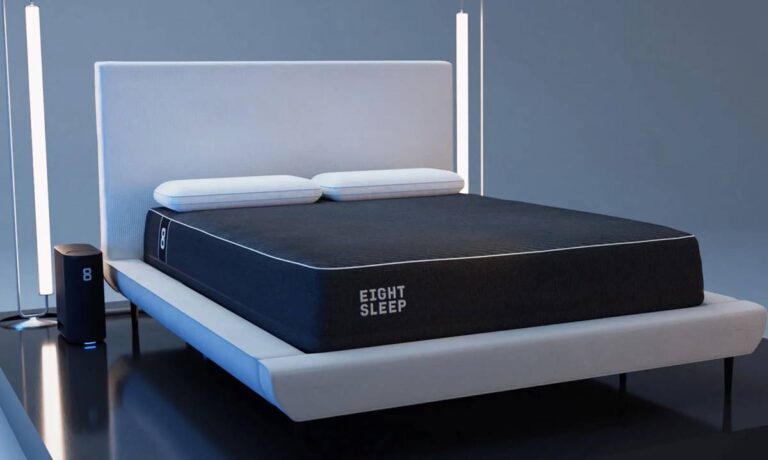
As someone who values quality sleep, I’m always on the lookout for tools that can enhance my nightly rest. When Bryan Johnson, a trusted health expert I follow, recommended Function Health and Tru Niagen, I was inspired to explore other innovative health products. This Eight Sleep review is part of my journey to optimize my sleep and overall well-being. After hearing rave reviews, I decided to give the Eight Sleep mattress cover a try, hoping it could solve my ongoing sleep issues.


The Set-Up: Easier Than You Think

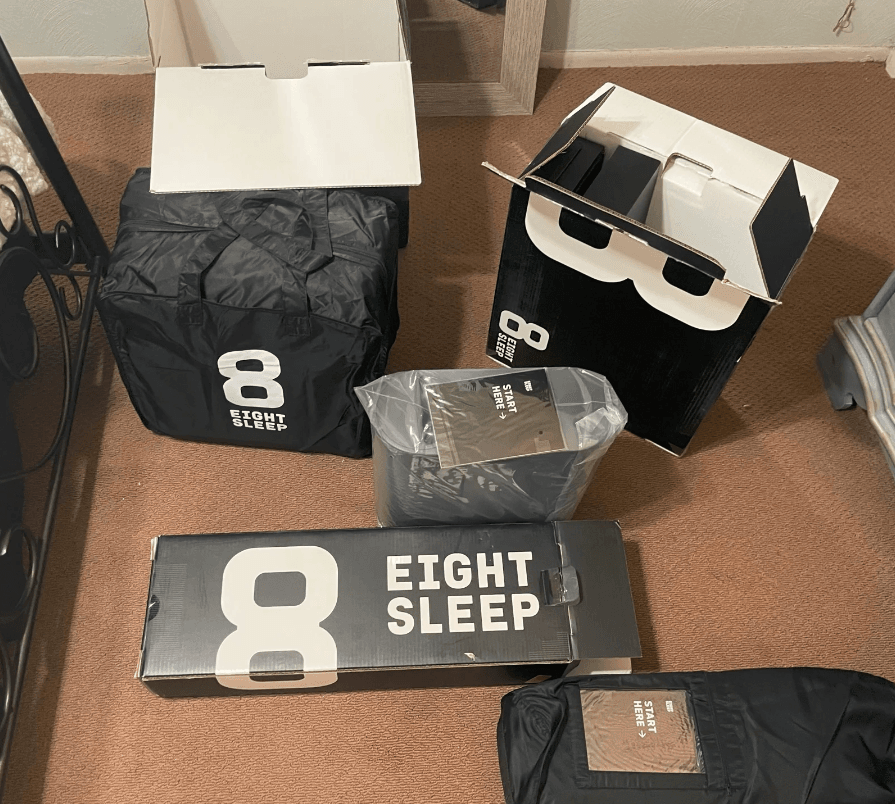
One of the first things I learned during my Eight Sleep review was how straightforward the setup process is. Before enjoying the benefits of the Eight Sleep Pod, you need to complete the setup, which involves both box 2A and 2B. It’s recommended to set up your Pod 2-3 hours before bedtime to allow the “Priming” process to take place. This involves filling the Active Grid with 2 gallons of distilled water and 48oz of hydrogen peroxide. Although the setup takes up to 90 minutes, you can still sleep on the bed during this time, making it convenient for busy schedules.

Eight sleep review
#eightSleep

Expanded Setup Insights

During my Eight Sleep review, I found that the setup instructions were clear and user-friendly. The process of priming the Pod might seem daunting at first, but with the step-by-step guide provided by Eight Sleep, it became manageable. Additionally, the company offers excellent customer support to assist with any questions during setup, ensuring a smooth start to your sleep enhancement journey.


Dual-Zone Temperature Control: A Relationship Saver

One of the standout features in my Eight Sleep review is the dual-zone temperature control. This feature is a game-changer for couples who often clash over the thermostat. Each side of the bed can have its own temperature setting, allowing both partners to enjoy their ideal sleep environment without compromise. No more tossing and turning under separate blankets or waking up in discomfort.

Enhanced Comfort and Compatibility

In my expanded Eight Sleep review, I noticed that the dual-zone temperature control not only improves sleep quality but also strengthens relationships by eliminating one common source of nighttime conflict. Additionally, the seamless integration with various smart home devices makes it easy to control the settings through voice commands or smartphone apps, adding an extra layer of convenience.


Your First Night: Setting Up Your Smart Temp Profile

During my Eight Sleep review, setting up the Smart Temp profile was one of the most exciting parts. While the Pod is priming, you can configure your personal temperature preferences. This profile adjusts throughout the night to match your ideal sleep temperature, becoming more personalized with each use. It takes about 7-10 days to fine-tune the settings, so patience is key for optimal results.

Personalized Sleep Experience

As part of my comprehensive Eight Sleep review, I appreciated how the Smart Temp profile adapts to my sleep patterns. The gradual adjustments ensure that my body maintains an optimal temperature, which significantly improved the quality of my sleep. Over time, the profile learned my preferences, making each night’s sleep more tailored and comfortable.


The Gentle Wake-Up Call We All Need

#image_title

Another highlight from my Eight Sleep review is the GentleRise Wake Up feature. Instead of a jarring alarm, the Pod gently vibrates your side and gradually changes the temperature to wake you up naturally. This method leads to a more pleasant and refreshed morning experience compared to traditional alarm clocks.

Benefits of a Gentle Wake-Up

In my expanded Eight Sleep review, I found that the GentleRise feature not only enhances the waking experience but also contributes to better overall sleep quality. Waking up gradually reduces stress and improves mood, setting a positive tone for the rest of the day. Additionally, this feature can be especially beneficial for those who have difficulty waking up or feel groggy in the mornings.


Waterproofing: The Unsung Hero

In my Eight Sleep review, I discovered that the mattress cover includes a waterproof layer, protecting your mattress from spills and leaks. This feature provides peace of mind, knowing that accidents won’t ruin your mattress, and it keeps the sleeping surface clean and hygienic.

Long-Term Mattress Protection

Expanding on my Eight Sleep review, the waterproofing not only safeguards against everyday spills but also extends the life of your mattress. This is particularly useful for households with children or pets, where spills and accidents are more likely. The easy-to-clean material ensures that maintaining a fresh and clean mattress cover is hassle-free.


Sleep Tracking: Your Personal Sleep Coach

One of the most impressive aspects of my Eight Sleep review is the advanced sleep tracking capabilities. The Pod automatically monitors your sleep patterns and provides detailed reports on your recovery. Approximately 30 minutes after you get out of bed, you receive insights that help you understand your sleep quality and identify areas for improvement.

Actionable Sleep Insights

In my comprehensive Eight Sleep review, the sleep tracking feature stood out for its depth and accuracy. The personalized reports included metrics like sleep stages, HRV (Heart Rate Variability), and sleep efficiency. These insights acted as a personal sleep coach, guiding me to make informed adjustments to my sleep habits for better rest and overall health.


Whisper Quiet: The Silent Guardian

Throughout my Eight Sleep review, I was consistently impressed by how quietly the Pod operates. The whisper-quiet performance ensures that your sleep environment remains undisturbed, allowing you to enjoy uninterrupted rest.

Seamless Integration with Your Sleep Environment

In my expanded Eight Sleep review, the quiet operation of the Pod enhances the overall sleep experience by eliminating any potential noise distractions. This makes it an ideal addition to any bedroom, ensuring that your focus remains solely on achieving deep, restorative sleep.


Tips to Get the Most Out of Your Pod

Based on my Eight Sleep review, here are some tips to maximize the benefits of your Pod:

  1. Avoid Mattress Toppers: They can interfere with thermoregulation and sleep tracking.
  2. Refill the Hub Regularly: Keep the water level adequate to maintain optimal performance.
  3. Utilize the App Notifications: The Eight Sleep app will notify you when it’s time to refill or make adjustments.

Enhanced Usage Strategies

Expanding on my Eight Sleep review, implementing these tips can significantly improve the effectiveness of your Pod. Additionally, setting regular reminders to maintain the Pod ensures consistent performance, allowing you to fully leverage the advanced features for better sleep.


Sync Your Sleep Data

During my Eight Sleep review, I explored how the Pod syncs with third-party apps like Apple Health and Google Fit. This integration allows you to consolidate your health data in one place, making it easier to track your progress and maintain a comprehensive view of your well-being.

Comprehensive Health Monitoring

In my detailed Eight Sleep review, syncing sleep data with other health apps provided a holistic view of my health metrics. This integration not only enhances the functionality of the Pod but also supports a more integrated approach to health and wellness, enabling better decision-making based on comprehensive data.


Understanding Your Sleep Metrics

My Eight Sleep review emphasized the importance of understanding your sleep metrics. The Sleep Fitness Score evaluates your sleep habits, including time slept, bedtime consistency, and time to fall asleep. Improving these habits directly impacts your score, encouraging healthier sleep patterns.

Deep Dive into Sleep Metrics

Expanding on my Eight Sleep review, the detailed analysis of sleep metrics allowed me to pinpoint specific areas needing improvement. By focusing on factors like bedtime consistency and sleep duration, I was able to make targeted changes that enhanced my overall sleep quality and daytime productivity.


HRV: The Metric You Didn’t Know You Needed

In my Eight Sleep review, I learned about HRV (Heart Rate Variability) and its significance. HRV is an indicator of how your body responds to stress, with higher values suggesting better recovery and readiness for the day.

Enhancing Stress Management

Within my comprehensive Eight Sleep review, monitoring HRV provided valuable insights into my stress levels and overall resilience. Understanding this metric helped me implement stress-reduction techniques, contributing to improved mental and physical health.


Additional Resources in the Eight Sleep App

The Eight Sleep app offers a library of resources such as Sleep Coaching and meditation techniques. These tools are designed to help you relax and clear your mind, enhancing your ability to fall asleep and stay asleep.

Maximizing App Features

In my expanded Eight Sleep review, utilizing the additional resources in the app further enriched my sleep experience. Incorporating sleep coaching and meditation into my nightly routine complemented the Pod’s features, leading to more consistent and restful sleep.


Smart Home Integration

The Pod seamlessly integrates with various smart home devices, including Nest, Amazon Echo, and more. This compatibility allows for effortless control of your sleep environment through voice commands or automated routines.

Streamlined Smart Living

As part of my Eight Sleep review, I found that smart home integration streamlined my nightly routine. Being able to adjust temperature settings or activate the GentleRise feature without manual intervention added a layer of convenience, making the Pod an integral part of my smart home ecosystem.


Conclusion: Why the Eight Sleep Pod is a Must-Have

In summary, my Eight Sleep review reveals that the Eight Sleep mattress cover is more than just a protective layer for your mattress—it’s a comprehensive sleep solution. From dual-zone temperature control and advanced sleep tracking to gentle wake-up calls and seamless smart home integration, the Pod offers a myriad of features designed to enhance your sleep quality and overall well-being.

Final Thoughts

Investing in the Eight Sleep Pod has transformed my sleep routine, providing measurable improvements in both rest and daily energy levels. If you’re serious about optimizing your sleep and leveraging the latest in sleep technology, the Eight Sleep mattress cover is undoubtedly worth considering.


Q&A: Common Questions About the Eight Sleep Pod

What is the Eight Sleep Pod?
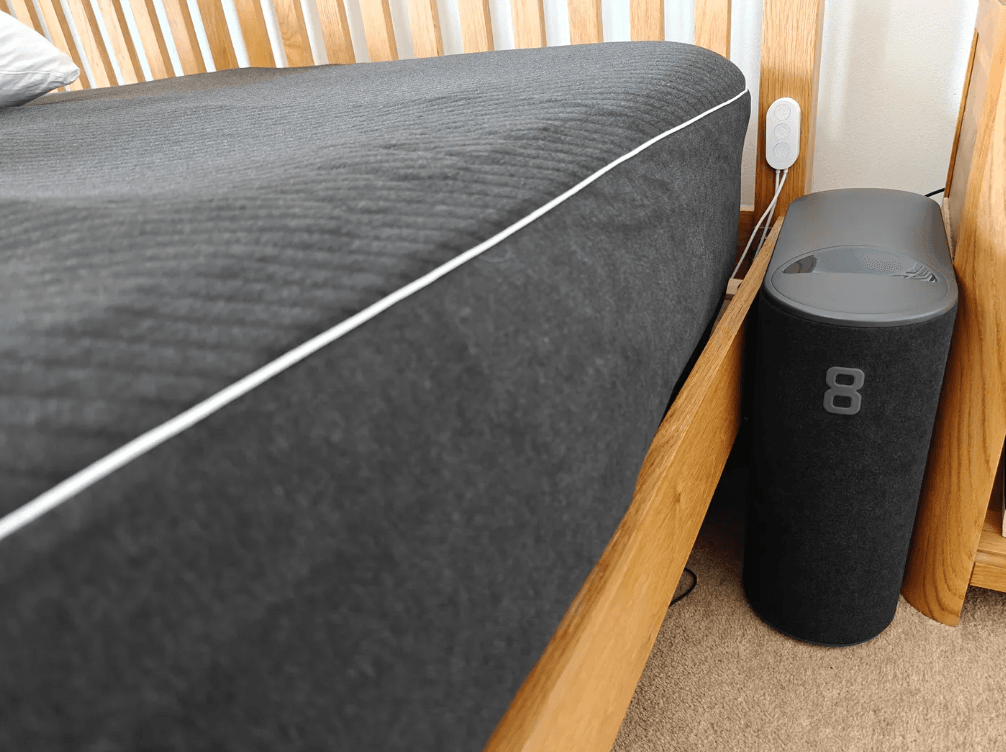
The Eight Sleep Pod is a mattress cover that uses water and temperature control to optimize sleep, featuring dual-zone temperature settings for couples.

Does the Eight Sleep Pod require Wi-Fi?
Yes, the Pod connects to Wi-Fi to send sleep tracking data to the Eight Sleep servers for detailed analysis and insights.

Can the Eight Sleep Pod adjust temperature during different sleep stages?
Yes, the Pod dynamically adjusts temperature based on your personal preferences and sleep stages to ensure optimal comfort throughout the night.

Can the Eight Sleep Pod replace a heater or AC unit?
No, the Pod cannot replace a heater or AC unit. It requires good ventilation and works in conjunction with your existing climate control systems.

What are the benefits of using the Eight Sleep Pod?
The Pod helps maximize deep sleep and REM sleep, provides detailed sleep tracking data, and offers precise temperature control for enhanced comfort and health benefits.


Disclaimer:
This article reflects my personal experiences with the Eight Sleep mattress cover. Individual results may vary. Always consult with a healthcare professional before starting any new sleep regimen or using new health devices.

Enhance Your Sleep Knowledge

For those eager to dive deeper into optimizing their sleep, check out Unlock Better Sleep: Actionable Tips from Andrew Huberman and Matthew Walker. In this insightful article, Huberman and renowned sleep expert Matt Walker share invaluable, actionable steps to achieve better, deeper, and more restorative sleep. Pairing their expert advice with the advanced features of the Eight Sleep Pod can truly revolutionize your nightly rest and overall well-being.